Your agents. One workspace. Open source.
Run Codex, Claude Code, Cursor, and OpenCode side by side. Review their code, manage Git, and keep every project in view.
macOS · Windows · Linux · Apple Silicon & Intel, x64 & ARM64
Bring the agents you already use.
- Codex
- Claude Code
- Cursor
- OpenCode 1.x & 2
Use your existing subscriptions. Install and authenticate a provider, then choose its models from one interface. Settings detects CLI installs, checks for updates, and can update them in place.
MCP and webhooks, with you in control
Let an outside agent work in BibCode while you watch the same threads, inspect its changes, and take over. Connect locally, over SSH, or over HTTPS with OAuth. Send workspace events to your own automations.
Connect the agents you already use
Add BibCode to Claude Code, Codex, Cursor, or OpenCode from Settings. Outside agents can start and steer threads, manage worktrees and Git, review pull requests, and use files, terminals, and previews through MCP.
Keep control of the workspace
Agent work is labeled in the app. Take over makes an agent read-only, Hand back restores its access, and Stop revokes it. Choose access per environment, and approve remote connections by their consent code.
Send events to your own tools
Signed outbound webhooks report thread, turn, and approval events to a public HTTPS endpoint. Delivery history and redelivery help you recover missed notifications without sending prompts, replies, files, or secrets.
Start in Settings → Agents → Agent integrations. Access ranges from Read only to Full access. Supervised governs agent-driven threads; direct MCP tools have their own permissions. Webhooks are off until you enable them.
Agent-first, end to end
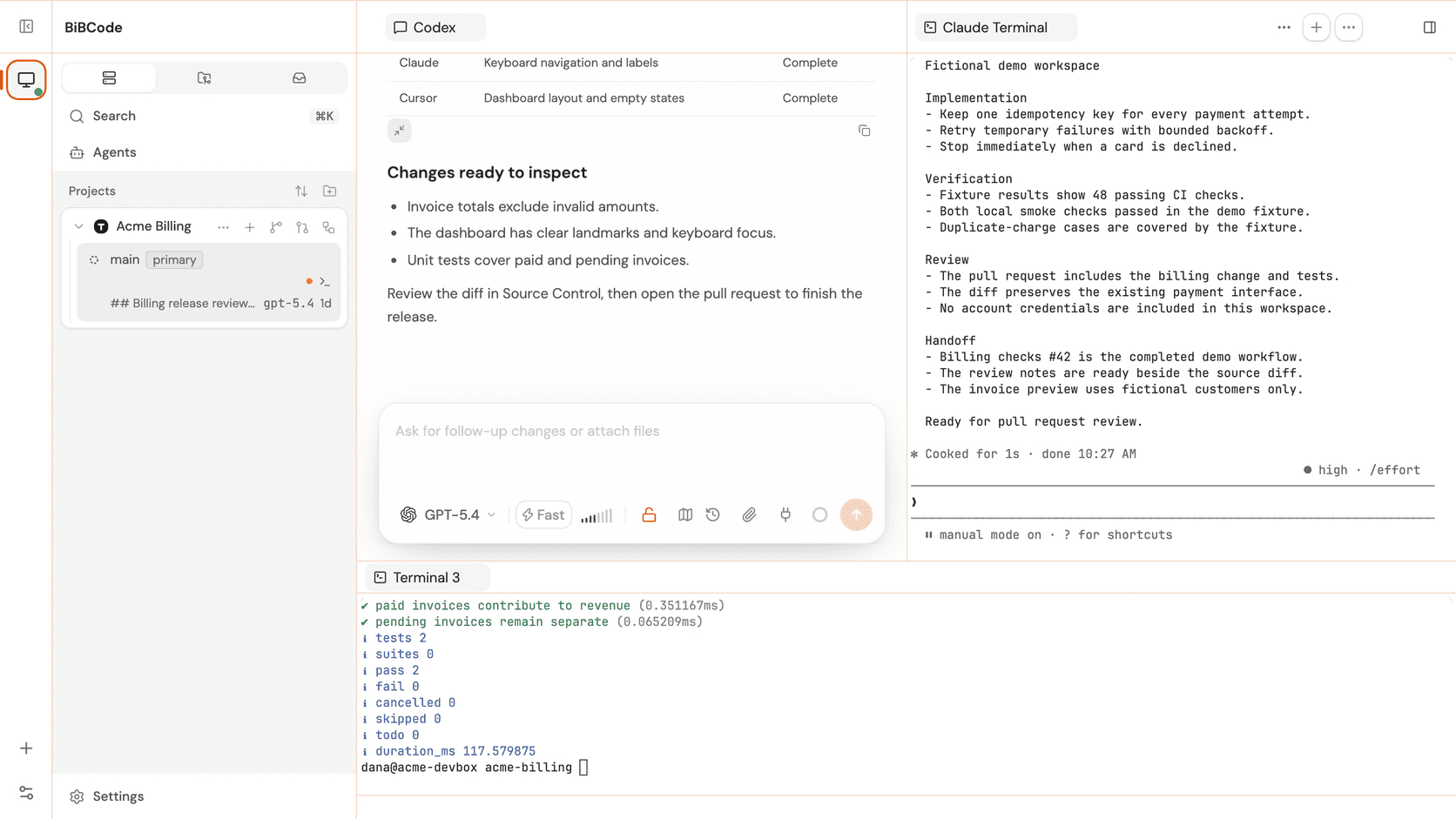
A place for every part of the work. From the first prompt to the final review, your agents and project tools stay together.
Three-panel workspace
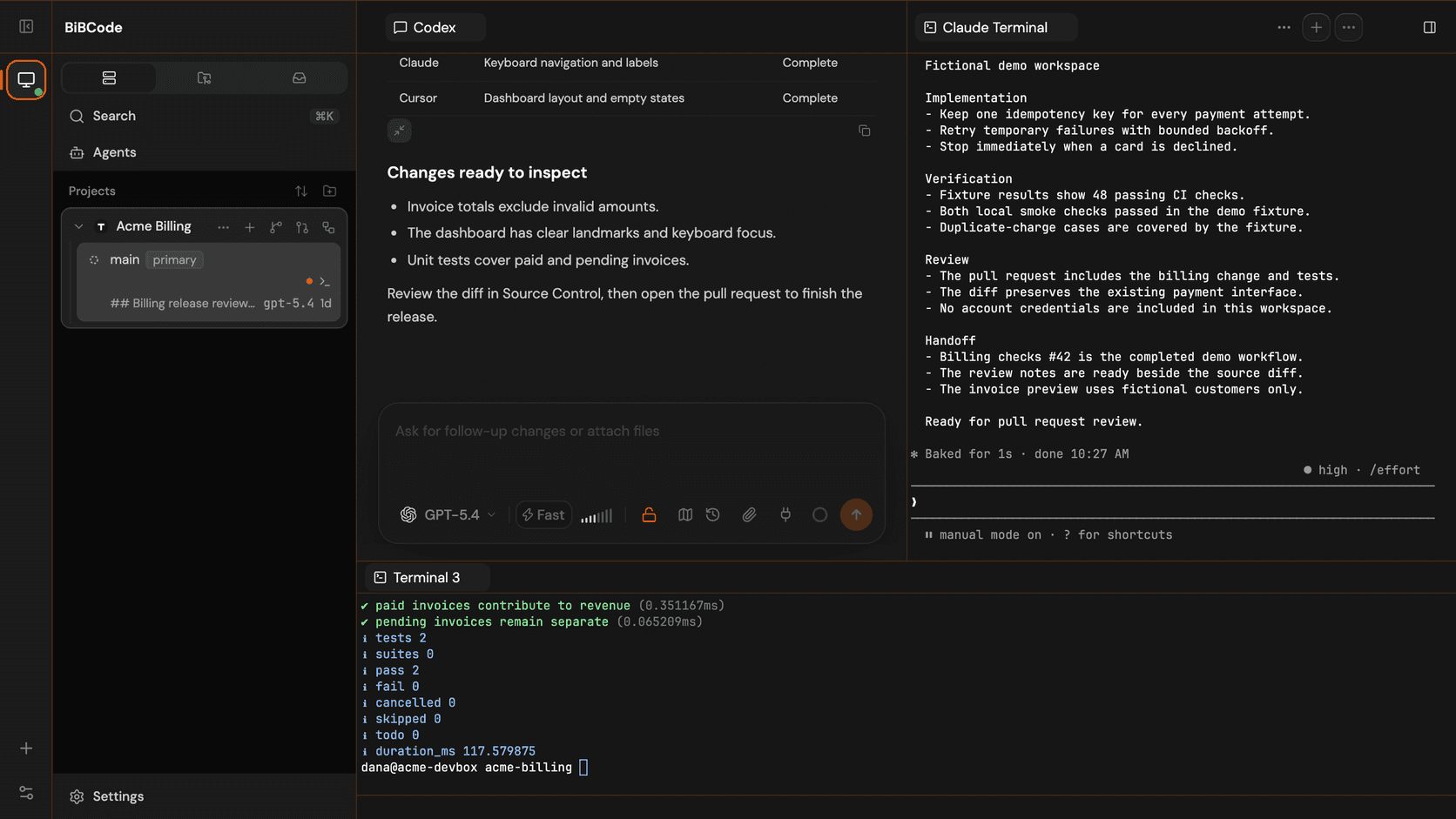
Projects and eager worktree threads on the left, the active chat in the center, project tools on the right. The whole day loop in one window.
Isolated worktrees
Add local projects, clone repos, and spin up worktrees so agents work side by side without stepping on each other. Adopt worktrees that already exist, and remove them with a reviewed plan.
Inbox across environments
Find every agent in one Inbox. All Agents, Needs Attention, Working, and Done views surface unread replies and requests across your connected environments.
Split panes
Arrange chats and terminals into up to four split panes. Extra chat panels are isolated sessions that share the host worktree, and layouts persist across reloads.
Source Control panel
Stage, view commit history, generate AI commit messages, run per-file actions, and pull / push / open PRs — all in-app, with live branch and PR state in the sidebar.
Files manager
Create, rename, duplicate, and drag files between folders. Download a file or a zipped folder, upload into any folder, and watch the tree follow outside changes.
In-worktree terminals
Open a shell or a provider CLI in the same worktree as your agent, so shell work and AI work stay on the same branch.
Review beside the chat
Open Browser, Device, Pull request, Diff, and Plan panels beside the thread. Follow agent activity inline in the chat, and inspect or revert completed turns with saved checkpoints.
Command palette & keybindings
Cmd/Ctrl+K opens the command palette. Default shortcuts cover panels, terminals, threads, and previews, and a keybindings.json file overrides any of them.
Context & usage meters
A context-window meter and MCP status in the composer for Codex and Claude, plus Claude and Codex account usage in the status bar for whichever environment you select.
Native desktop app
Tauri 2 with a Rust host and the OS WebView. No Electron, no Node.js runtime, no bundled browser — just a small native binary with signed in-app updates that take a verified backup first.
Session history
Reopen earlier agent sessions from the composer’s History button. Find text in a thread, or compact context to keep a longer conversation going.
Data safety
A verified backup is written before every update or schema migration, a project store is never silently replaced, and recovery tools offer restore from backup or start empty.
Composer safeguards
Access and reasoning pickers turn red at Full Access or the highest reasoning level. A live waiting timer, cancellable queued messages, and errors that say whether the provider or BibCode failed.
Terminals that behave
Follow-app, dark, or light terminal themes with true-color TUIs that keep their palette. Shift+Enter adds a newline in Codex and Claude Code prompts, and remote typing streams without waiting, with Reconnect input after a drop.
Open anywhere
Open a project folder in your file manager from the local desktop, or a file in any detected editor including Zed, on local and remote hosts alike. Linux Git operations are validated on Debian, Ubuntu, Fedora, and Arch.
A full Git client, per project
Review what your agents committed, tidy the history, and ship a pull request. Open Git Manager for a project’s main checkout or any of its worktrees.
Branches & sync
Create, checkout, rename, delete, and merge branches grouped into Default, Recent, and Other. Fetch, pull, push, publish, and force-with-lease states follow your upstream.
History
A paged commit list with metadata, changed files, and diffs. Right-click any commit to reset, revert, cherry-pick, squash, reorder, or start a branch or tag from it.
Changes & commits
Filter and group working-tree changes, stage by line or hunk, and compare images as 2-up, swipe, onion-skin, or difference. Commits support amend, sign-off, co-authors, and undo.
Stash, merge, rebase
A native stash list with per-entry diffs and apply, pop, or drop. Merge-commit or squash merges with a preview, rebase with force-with-lease warnings, and Ours / Theirs conflict resolution.
Tags
Local tags beside what each remote advertises, flagged when they differ. Create a tag and push it in one step, or send every tag along with a branch push.
Pull requests
Show the open pull request for your branch and its checks on demand, create one from a reviewed title and description, then open it in the Pull Requests view to review and merge.
Create pull and merge requests on all four hosts from Source Control; the Git Manager pane reads GitHub, GitLab, and Azure DevOps, and the Pull Requests view covers GitHub and GitLab. Git Manager checks and native publishing are GitHub-only for now.
Review and merge without leaving the app
Follow a pull request from first review to merge. Inspect the conversation and changed files, leave feedback, or check out the branch to verify it locally.
List & filter
Browse open and closed requests, plus Merged and All on GitLab, then search and filter by author, assignee, reviewer, review status, draft, label, milestone, or target branch.
Conversation, commits, checks, files
Each request has Conversation, Commits, Checks (Pipelines on GitLab), and Files changed tabs, with lazy diffs, an ignore-whitespace toggle, and Viewed marks saved per request.
Inline review
Click or drag a diff line to comment or insert a suggestion, collect a pending review, and submit it as Comment, Approve, or Request changes against the head you reviewed.
Edit & merge
Edit the title, description, and base, change reviewers, assignees, labels, and milestone with a five-second Undo, then merge with an allowed method or auto-merge, update or rebase a branch that is behind, and revert a merged request.
Check out locally
Check out a request into the current checkout, another project worktree, or a new worktree to verify it, without replacing existing work or conflicting local branches.
Beside the thread
Open a pull or merge request as a tab in a thread’s right panel, from Source Control or the Pull Requests page, with its tabs and actions against the thread’s checkout.
Self-hosted GitLab works once glab knows the host. The server needs gh or glab installed and signed in; Bitbucket and Azure DevOps aren’t supported in this view. Turn it off in Settings → Source Control → Pull requests.
Your agents, on any machine
Work locally or connect to a server across the tailnet. Projects, credentials, agents, and tools stay on their environment. You drive them from one window.
Pair another device
Share this host from Settings and hand another desktop or browser a five-minute encrypted pairing offer. Pick a LAN, Tailscale, or NetBird address, a MagicDNS name, or a custom address behind your own tunnel or proxy, and give each saved server its own alias.
Headless server
The same native binary runs as a standalone server on a Linux box, a Mac, or a Windows machine. Install it as a per-user service that survives reboots, from a tarball or a .deb / .rpm package.
Desktop-managed SSH
The desktop app can start or reuse a server over SSH on a remote host and forward it to a local port. It never installs Node.js or a runtime on the other side. Desktop only.
WSL on Windows
Run the Linux server binary inside Windows Subsystem for Linux, with provider CLIs and credentials living in the distribution. Switch back to the native Windows backend at any time.
One environment rail
Local and remote environments sit side by side, with the active host ringed in the rail. Agents, worktrees, terminals, Git, file transfers, and usage meters all follow the environment you select.
Private by default
New pairings run over an authenticated, end-to-end encrypted channel with a pinned host identity, from the desktop app or a browser. Pairing credentials become bounded sessions you can revoke from Settings, and sharing fails closed on public-only networks.
Headless in three commands
Paste the printed offer into Settings → Remote Servers → Add Server on the other device. Server archives ship the matching web client, so a browser can connect too.
# serve the projects on this machine$ bibcode serve --host 100.64.0.10 # mint a five-minute pairing offer$ bibcode pairing offer --endpoint http://100.64.0.10:3773 # keep it running across reboots$ bibcode service install --host 100.64.0.10Web and mobile previews beside the chat
See what your agents build. Open a browser or stream a mobile device beside the conversation, even when the development server runs remotely.
- Setup
- Off by default. Turn on Device previews per environment in Settings → Mobile emulators.
- Android
- Needs the Android SDK with emulator and platform-tools, at least one virtual device (AVD), and hardware acceleration: KVM on Linux.
- iOS
- Needs a macOS server with Xcode set up and at least one iPhone or iPad simulator.
Android and iOS
The Device panel runs an Android emulator, or an iOS simulator on a macOS server, on the thread’s environment server, with up to four devices running per environment. Each thread keeps its own device.
Touch, type, rotate
Click or drag to touch the screen, type or paste text, rotate it, and press Home, volume, and each platform’s other buttons from the toolbar.
Live video
The screen streams as H.264 video, end-to-end encrypted on connections that pin the server’s key, and falls back to still images, with the reason, where video can’t play.
Agents use it too
While device previews are on, coding agents on that environment can list, open, screenshot, and close the same devices you see.
In-app browser
In the desktop app on macOS 14 or later, Windows, and Linux, chat links, terminal URLs, and pages your agents open load in a Browser tab beside the thread by default, or in your system browser if you prefer.
Remote dev servers
A plain-HTTP dev server on a remote server’s localhost opens through BibCode’s preview gateway when you reach that server over LAN, tailnet, WSL, desktop-managed SSH, or BibCode Connect.
Up to four Android emulators or iOS simulators per environment. iOS simulators take a single touch, and BibCode doesn’t install apps or create simulators.
Follow CI from the same workspace
Open GitHub Actions or GitLab Pipelines from a project. Follow the run, inspect a failed job, and decide what to retry without losing the thread.
Explore Pipelines- Filter runs and inspect jobs
- Filter by state, branch, or GitHub workflow. Open stages, jobs, earlier attempts, and logs with their status and duration.
- Retry, cancel, or run
- Retry failed work, cancel a running pipeline, or start a manual GitLab job when your account and the host allow it.
- Use your host account
- Connect with gh for GitHub or glab for GitLab on the environment server. GitHub live logs open on GitHub; completed job logs open in BibCode.
A Rust core, one React frontend
The same frontend runs in the browser and desktop app. Tauri-specific behavior stays behind window.desktopBridge. Production builds contain no Electron, Node.js runtime, or TypeScript server.
- Desktop
- Tauri 2Rust host + OS WebView. No Electron.
- Frontend
- React 19 · ViteTypeScript, TanStack Router, Zustand, Effect.
- Server
- Rust · Axum · TokioEmbedded in the desktop app, or headless with a per-user service and .deb / .rpm packages.
- Transport
- Typed WebSocket / RPCShared contracts across browser and desktop.
Standing on open-source shoulders
BibCode replaced its original Electron and Node.js runtime with a Rust server and a Tauri 2 desktop host. Its foundations still owe much to these projects.
Bring your agents together.
Download the open-source desktop app and connect the providers you already use. MIT licensed, with the source available on GitHub.
Prefer to build from source?
Install Vite+ first, then follow the repository’s setup guide. Install and authenticate at least one agent provider before you begin.
curl -fsSL https://vite.plus | bashInstalls the Vite+ vp CLI for building from source.